Join the discussion

Write your take first — we'll ask for email only when you're ready to publish.

  • Hacker News
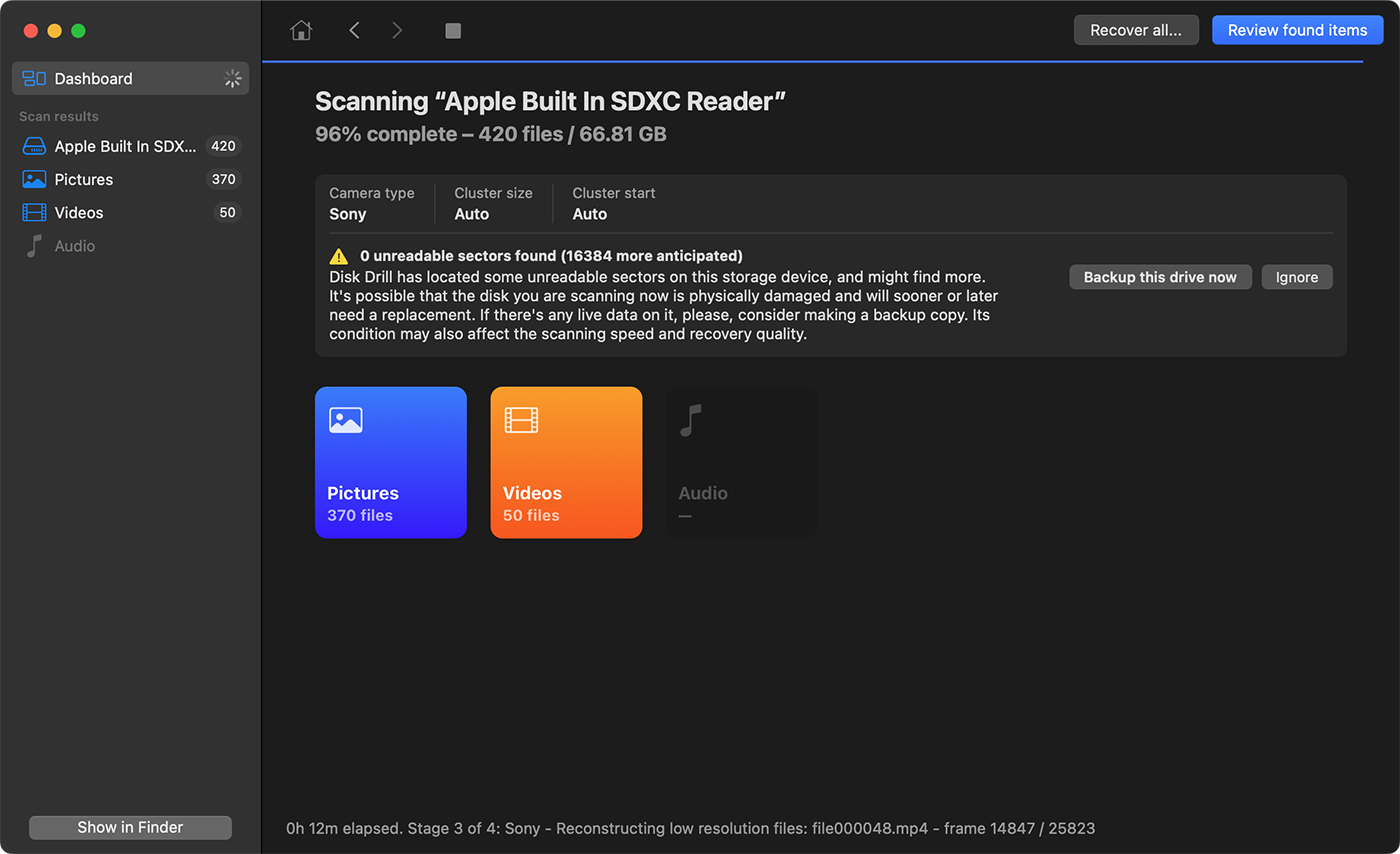
  • Honestly hat read for me as "Disk Drill" ad.
  • Camera makers: please just use Android and allow us to sync photos automatically.
  • Ironically, Android started as a DSLR OS.
  • There were cameras with FTP or WebDAV support, when connected to WiFi. I guess it’s just not really popular?
  • You don't need Android for that (thank god).
  • First part hell no second part hell yeah. I wouldn't want to deal with current equivalent of Android 2.3 or 4.0.4 or eMMC failures or 5 minute bootup delay from battery insertion to first shutters with high end $1.5k cameras.

    What's needed is USB-C host on iPhone. Then USB MTP or MSC to extract and upload. Which, is arguably already there. I think what's really missing is iOS/Android side willingness to ingest offline files.

  • Lucky for him it was a Sony. Thanks to Android 10 and file encryption on every file, it is now impossible to restore deleted videos/pictures/files on any Android device:

    https://security.stackexchange.com/questions/264642/are-andr...

  • Considering the amount of personal data on people’s phones, plus how commonly people lose them in public, I would say that encryption by default is unambiguously a good thing, and it’s incredible that it took Google until Android 10.
  • Fun and useful fact - if you ever buy a Sandisk SD card, there is a license key for RescuePRO Deluxe inside if you peel apart the two pieces of the cardboard that make the packaging! The software works for any type of drive and I have had great luck with it recovering some of my students projects.
  • My advice is to have "some fair number" of SD cards and when you are done with the card in the camera, put it aside and install another card that hasn't been used in awhile.

    Because managing files is not only error prone, deleting files should be avoided to the extent your budget allows...

    ...and if you are shooting still (and not video) there's really no good reason to ever delete an image off an SD card because SD cards are cheap (because photos don't require highest speed cards). SD cards can be used as "film" in a digital camera.

  • > photos don't require highest speed cards

    I photograph birds in flight at 25 or 50 FPS.

    Even if I didn't do something that demands fast cards and fills them up quickly, I don't see much reason to keep photos on SD cards rather than my laptop's SSD with an external HDD as backup. I import and cull the photos, run a backup, and reformat the cards.

    by Zak
  • My advice is to run a script that automatically copies the files to the right place rather than hope you have the right window open at the time.
  • > My advice is to have "some fair number" of SD cards and when you are done with the card in the camera, put it aside and install another card that hasn't been used in aw

    Yeah, a kind of rotating workflow seems necessary when you doing professional camera stuff.

    Of course, something like this can always happen; however, it's just as likely that an SD card will fail at some point.

    The camera should record redundantly, and many semi-pro cameras already do this if you want them to. Then you can leave the second card untouched and have a spare one and rotate only the spares.

  • Yeah, after working through this blog post, I ordered 6 more cards, so I can have a queue and not delete footage until project completion!
  • >and if you are shooting still (and not video) there's really no good reason to ever delete an image off an SD card

    There are tons of good reasons.

    When downloading images off the card, software has to read all the files on it - which can take a very long time if the card is full of photos you've already processed in a previous session.

    Then there's that you shouldn't be keeping most of the shots you take. Unless you're a still life artiste, most people (including professionals) take multiple pictures to account for blinking, moving objects, slightly different angles, etc. You should keep the best shots and delete the rest - storage is cheap but having to go back through all the garbage to find the good shots in the future is pointless.

    Modern cameras have large sensors that produce large files. It's wasteful to keep buying more and more SSD cards. Just build a NAS or pay for cloud storage.

  • > because photos don't require highest speed cards

    That hypothesis is certainly getting tested these days in specific niches. With high megapixel sensors, pre-capture, and cameras capable of pushing between 30fps and 120fps worth of compressed raws or high quality JPEGs, you can obliterate your camera's write buffer and CFExpress write bandwidth. You can make many bad photos of an animal, bird, or athlete with extreme ease -- and hopefully find that one winner in the haystack.

    I would say the line between movies and photos is getting blurred, but it's unlikely you're using a shutter speed that allows for motion blur with these bursts of photos!

    by zten
  • Apple was killing it with iPhoto/Photos for this use case until a few years ago. Put in a memory card and Photos would import new photos, offer to delete after import, and ignore photos still on the card. Photo Stream made it possible to have a minimal set of photos in the cloud to have on other devices, which could be configured to sync various albums.

    Then they moved to iCloud or manual sync and your forced to manage individual files again. Delete in iCloud, it’s gone everywhere. Want to keep your bad shots, but not have them on every device? Figure out how to move photos between multiple libraries while only being allowed to have one open at a time.

  • I think the main problem here was that there wasn't a single script that:

    1. Accepts no parameters.

    2. Looks for an SD card with a bunch of Sony-structured folders.

    3. Copies the media from that to the NAS folder directly and fsyncs.

    4. Checks that the files are there and look ok.

    5. Maybe triggers a ZFS snapshot? Why not.

    6. Only then deletes the files from the source.

  • I had never seen Jeff's posts pop up on HN prior to this year and only learned of him via YouTube r/homelab content. Scrolling through the hn search his domain has had plenty of posts over the years, but his content has now become stickier and/or the audience has changed?
  • He's definitely got brand recognition. He's THE guy for Raspberry Pi and SBC stuff. I'd suspect more people would recognise him then Ebon Upton nowadays. Not ignoring the other stuff he's done, but anyone into Pi/SBC will know him.

    Honourable mentions to ExplainingComputers and "Platima Tinkers".

  • He shares the title of "SBC Guy" with ExplainingComputers. Any time a new single-board computer comes out, especially a Raspberry Pi, they make videos with benchmarks etc. etc.
  • Fairly unsatisfying conclusion. I’d be interested in knowing what that proprietary program does, how it works so well, how Sony stores video files, etc.
  • I've found when you have a file with stops and starts, it's because the extraction process is not familiar with how the data is laid down on the storage media. So it sees 'I have a file'...and if it's better it sees 'the name of the file is here' and then 'it's this big' and then 'here's the linked list of clusters for that file'....or it starts at the first cluster and gets as far as it can before it runs off the tracks.
  • The proprietary program has this blog post: https://www.cleverfiles.com/help/advanced-camera-recovery-in...

    I think the key point is that cameras don't write the video files in one long contiguous block on disk. They internally split it up and write in an interleaved fashion. It even mentions low-level tricks like manipulating the FAT table so the moov atom which is written last appears at the beginning of the file.

  • Oof, so free software didn’t do the job despite a ton of effort and leveraging a boatload of past experience, and the paid software gave a misleading impression of success before accepting Jeff’s money, only for the actual fix to be buried in a submenu somewhere.

    My inner product manager is screaming.

  • Disk Drill saved me last year when file corruption hit one of my SDs.

    I also have a policy where I don’t delete the files on the SD card until the very last moment when new files need to be written again. This gives me a window of time in which there is an extra backup in case of issues with replication from my initial local storage on my computer, to an external drive, to the RAID array, or to the cloud.

    rm -rf after the initial copy from the SD card onto the computer is a bad idea, especially if the card isn’t immediately needed for new footage.

  • For convenience, I like to still have the files somehow marked 'already imported', so I've since modified my script to move the files on the card into an 'imported' folder. Then after the card gets full, I'll format it if I'm finished with the main project I'm working on.

    I really wish modern cameras could stream over WiFi 6 or 7 (since it's just H.265 compressed, 50-100 Mbps) so I could either do NDI or a video stream off to my NAS. Still save to the card in the body, but also record over the network directly in-body!

  • My neighbor just did the exact same thing. The way FAT filesystems work is they change the first byte of the filename to an invalid character to make them a tombstone.

    Since he hadn't used the SD card yet, we were able to restore the files with "TestDisk", a companion tool that ships with PhotoRec. Under "Advanced" there is an "Undelete" tool. This will let you browse the filesystem, find your missing files, and copy them to another drive.

    For those old enough to remember, MSDOS came with undelete.exe which worked the same way.

  • > For those old enough to remember, MSDOS came with undelete.exe which worked the same way.

    Available in MS-DOS >= 5.0. If you had MS-DOS 3.3, you didn't get any cool stuff like that. Couldn't even see hidden files!

  • Years ago, I recovered some pics from my honeymoon this way after we accidentally deleted them because I knew FAT worked this way so I just went looking for them.

    I've never felt so happy to be a techie.