Join the discussion

Write your take first — we'll ask for email only when you're ready to publish.

  • Hacker News
  • I once bought an Asus ProArt Display and I boxed it up and sent it back inside of 20 minutes. They have fans, a fact that is not mentioned anywhere in their sales materials.
  • I wonder why local dimming zones remain so limited in LCDs. This one has 4032, which corresponds to a background LED resolution of only 84×48. That's about 90×90 (over 8000) colored LCD pixels per white background LED.

    This is far too coarse to accurately resolve fine differences in HDR brightness, e.g. from lamps, car lights, street lights, specular highlights etc.

    Perhaps the background LEDs are still relatively costly? Or customers just don't care enough to justify putting in significantly more? Which is unfortunate, since although OLED monitors have perfect fine HDR contrast, the overall achievable screen brightness is quite low compared to LED LCDs.

    Which makes both technologies suboptimal for HDR content, for different reasons.

  • I’ve had a few ProArt monitors and they aren’t very high quality, IME. I had high-pitched whine and blinking off/on issues, on several Mac models, from iMac to Air to Studio. Yes, I tried a variety of cables. The Apple Studio monitor, while insanely priced, has been flawless for me, sitting next to a ProArt.
    by e40
  • I've often gone into an expensive display purchase with hesitation but then never regret it as, years later, when machines have moved in and out of my workspace, the display is still there.
  • Nice monitor, but its target demographic is pretty small, and its price makes Eizo look cheap.

    I’ve done a lot of color-calibrated work, and, for the most part, don’t like working in a calibrated system. I prefer good ol’ sRGB.

    A calibrated system is a “least common denominator” system, where the least capable element dictates what all the others do. So you could have one of these monitors, but, if your printer has a limited gamut, all your images will look like mud, anyway, and printer technology is still pretty stagnant. There was a big burst of improvement in inkjets, but there hasn’t been much progress in a long time. Same with scanners. I have a 12-year-old HP flatbed that is still quite valid.

    A lot of folks get twisted over a 60Hz refresh rate, but that’s not something I worry about. I’m old, and don’t game much. I also watch entertainment on my TV; not my monitor. 60Hz is fine, for me. Lots of room is my priority.

  • Where do you go for wide gamut prints? How do commercial printers compare to consumer printers in this regard?

    I'm working on a few wide gamut art pieces, and so far the test prints have been less than stellar. Disclaimer - I'm an amateur in this field.

  • Sadly it's just 16:9. Not even 16:10.

    I now run 2 3:2 Displays (BenQ RD280U) at home (more in the office, but I never go there) and love my vertical real estate. (No, portrait mode won't work out)

  • Thank you for this suggestion!

    For Laptops 16:10 (and with the framework and surface even 15:10/3:2) is already quite common, while in the desktop market 16:9 and these ultrawides are dominant.

    With 16:9 the whitespace on websites even with Tabs on the side is simply to high ;)

  • There is a lot of marketing material at the linked page. But there is no mention of price and available sizes. Also, there is no link to purchase one. This is November. I can look these things up, but why link to a PR fluff piece if there something more substantial available?
  • > But there is no mention of price and available sizes

    No idea about prices, but, assuming they follow the usual conventions for model codes, that's a 32" unit.

    by pdpi
  • Here's some specs: https://www.asus.com/displays-desktops/monitors/proart/proar...

    8K, 32inch, 275ppi, 60Hz 2 Thunderbolt 4, 1 DisplayPort 2.1

  • No mention of 120Hz; I'm waiting for a 6k or higher-density display that can do higher refresh rates.
  • I wouldn't hold my breath. Competing models seem to top out around 120 Hz but at lower resolutions. I don't imagine there's a universal push for higher refresh rates in this segment anyway. My calibrated displays run at 60 Hz, and I'm happy with that. Photos don't really move much, y'know.
  • I was going to joke about 8k@120Hz needing like 4 video cables, but it seems we are not too far from it.

    [8k@120Hz Gaming on HDMI 2.1 with compression](https://wccftech.com/8k-120hz-gaming-world-first-powered-by-...)

    > With the HDMI 2.2 spec announced at CES 2025 and its official release scheduled for later this year, 8K displays will likely become more common thanks to the doubled (96 Gbps) bandwidth.

  • I swore a blood oath that I would never buy an Asus product ever again, after three terrible laptops from them in a row, but holy hell do I kind of want this monitor.

    My main "monitor" right now is an 85" 8K TV, that I absolutely love, but it would be nice to have something smaller for my upstairs desk.

  • What are the cons of having a large TV as a monitor? I've been considering something like this recently, and I wonder why is this not more common.
  • What would you pick for your next laptop if you had to buy one?

    I had an Asus laptop, but the frequent security firmware updates for one of the Dell laptop that I had makes me think it might make a good candidate in terms of keeping up with security updates.

    Not sure for the current latest models for Asus/Dell/HP/etc., but I liked the fact that disassembly manuals are provided for older Dell and HP. I can hardly find disassembly manuals for Asus when I have to do maintenance such as swapping out thermal paste/pads and clearing out the heatsink fins.

  • I have a fantastic Asus laptop that is 8 years old now and (after an easy battery replacement) easily does everything I want from it and feels nice and solid. I was so impressed that I recommended Asus to someone else, and what they got was pretty awful.

    So basically, YMMV. They make good stuff, and they make awful stuff.

  • 6K 32" ProArt model PA32QCV might be more practical for YN crowd at 1299 USD VS 8-9K USD PA32KCX will run you
    by qaq
  • I've been enjoying the PA32QCV in the last couple months. It's definitely not perfect, but the 220 PPI at 32 inch is just amazing to code on.
  • I second this, I recently switched [1] and have been delighted by the crisp fonts.

    [1]: https://luke.hsiao.dev/blog/pa32qcv/

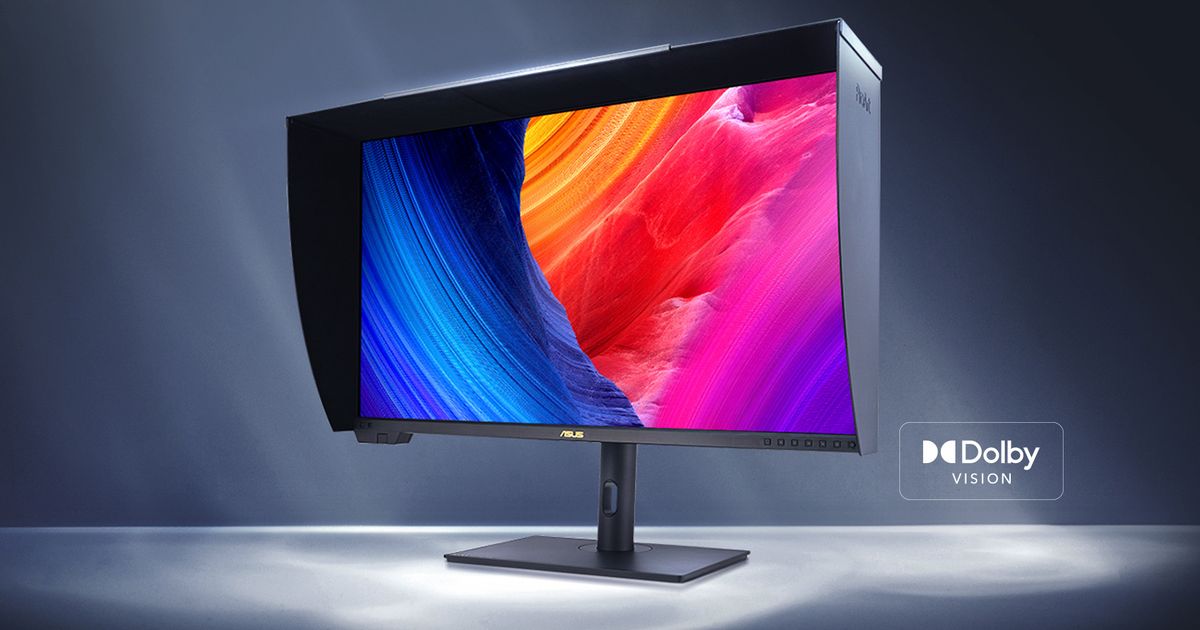
  • I'd imagine for most people the HDR perf difference is more noticeable than the resolution. This new monitor can do 1200 nits peak with local dimming, PA32QCV can only do 600 nits peak with no local dimming. Also Dolby Vision.
  • I'm not buying a new monitor with a decade-old version of DisplayPort. Non-oled monitors are products that last a long time (at least a decade) so if I bought this monitor, I'd still be using DisplayPort 1.4 from 2016 in 2036. I need UHBR20 on a new monitor so I can rest assured that I will have some lanes available for my other peripherals. I've already lived the hell of needing to dedicate all 4 lanes to DisplayPort, leaving only a single USB2.0 connection remaining for all my other peripherals to share[0][1].

    [0] https://media.startech.com/cms/products/gallery_large/dk30c2...

    [1] https://i.imgur.com/iGs0LbH.jpeg

  • An aside - this monitor is proving surprisingly difficult to buy in the UK. Everywhere I look it seems to be unavailable or out of stock, and I’ve been checking regularly.

    Relatedly, I also don’t understand why a half-trillion dollar company makes it so hard to give them my money. There’s no option to order ASUS directly on the UK site. I’m forced to check lots of smaller resellers or Amazon.

  • Me and a friend were just chatting how annoying it is monitors stalled out at 4K. I think I got my first set of 4k monitors ~15 years ago (!) and there's been no improvements since then apart from high end pro monitors resolution wise.

    Why is this? 5k/6k at 27" would be the sweet spot for me, and potentially 8k at 32". However, I'm not willing to drop $2k per monitor to go from a very nice 27" 4k to 27" 5k.

    You can get 8K TVs for <$1000 now. And an Quest 3 headset has 2 displays at far higher PPI for $600.

  • One of the best things I've done for my setup is convert old 5k iMacs to work as external display.

    Only downside are the massive borders by todays standards, but it still has the Apple aesthetics, the 5k resolution is beautiful for my use cases (spreadsheets, documents, photo editing), and has HDMI inputs so I can play PS5 on it.

    by ebbi
  • The likelihood of dead pixels increases quadratically with resolution, hence panel yield drops correspondingly. In addition, the target audience who has hardware (GPUs) that can drive those resolutions is smaller.
  • > Me and a friend were just chatting how annoying it is monitors stalled out at 4K. I think I got my first set of 4k monitors ~15 years ago (!) and there's been no improvements since then apart from high end pro monitors resolution wise.

    It's mostly because the improvement over 4k is marginal. In fact, even from 1920x1080 it's not so big of a deal, which is why people keep buying such monitors in 2025.

    A the worse is that the higher spending consumer segment of PC parts, the gamers, can't really use high resolution display at their full potential because it puts such a burden on the GPU (DLSS helps, but the results is even smaller of an improvement over 1920x1080 than regular 4k is)

  • > and potentially 8k at 32"

    What's your actual use-case for this? I run a 32" 4K, and I have to stick my nose within a foot (~30cm) of the display to actually spot individual pixels. Maybe my eyesight isn't what it used to be

    I'd kill for a 40" 5k or 6k to be available - that's significantly more usable desktop real estate, and I still wouldn't be able to see the pixels.

  • as a gamer 8k makes me sweat because i can't imagine what kind of hardware you'd need to run a game :O probably great for text-based work, though!