Join the discussion

Write your take first — we'll ask for email only when you're ready to publish.

  • Hacker News
  • I had a similar setup in 2023, but the computer was reformatted after I moved. I wrote a HN comment about the setup before: https://news.ycombinator.com/item?id=37792204

    I liked it and intend to use a similar setup in the future. There were quite a few "rough edges", unfortunately. In retrospect, a tiling window manager would have been a better choice.

    I found Midnight Command to be great for this, with its integrated file manager, file viewer (mcview), editor (mcedit), and diff (mcdiff).

    I didn't realize how much I relied on a unified clipboard until I didn't have one any longer. mcedit's clipboard was a file (or one of them was?), so I had to adjust some workflows.

    The biggest problem came from my need to view a lot of PDF files. I had a framebuffer PDF viewer that was pretty clunky. It did not work with tmux and PDF files could not be opened directly from Midnight Commander as I recall. This specifically is why I'm thinking about a tiling window manager as I won't have to pick a clunky PDF viewer and the remainder will just work.

  • > I'm trying to be more intentional with my tech choices. I want devices that do one thing really well, and that when I'm done with that one thing, I can put them away, and do something else. I don't want everything to follow me around everywhere.

    Sign me up.

    I would like an audio device which can play mp3, podcasts, internet radio. Bonus points if it supports some kind of cartridge system, size between credit card and audio cassette. Thank you for your attention to this matter.

  • > I would like an audio device which can play mp3, podcasts, internet radio.

    That internet radio is a whole magnitude of complexity, especially with the need for wifi (cellular?) if it needs to be portable. But there are options like specially modified android devices.

    I have the Shangling M0 with a 512GB card. I don’t even bother with converting my flac files. A nice other device is my kobo. It holds my entire fiction library with space to spare.

  • > I would like an audio device which can play mp3, podcasts, internet radio.

    Get a second-hand Apple iPod Touch, remove all apps you don't need.

    For just mp3 and podcasts: get an iPod Classic (or Video) and install Rockbox.

    Rockbox is amazing.

  • You have hundreds of options for devices like this. Amazon alone shows 200, or well over 300 if you don't need live internet audio streams.

    You're about to respond: "But many of these use Android, and general purpose computers are too distracting for me." In that case, you'll need to forego live internet audio streams and buy a closed option with a radio receiver.

  • I recently installed Alpine Linux as part of a side quest and was blown away by just how fast it was without running a GUI or loading up a bunch of background programs. It was so fast a little voice has been telling me my daily driver laptop should run a minimal Linux distribution like Alpine.
  • It's quite remarkable, isn't it?

    It is how Linux used to be in the 1990s: tiny, simple, blindingly fast compared to the big lumbering commercial OSes...

    ... Which now are also Linux. Which is terribly terribly sad.

  • I find fhe discourse here hilarious. Haven't most of us built our skillsets and careers out of side quests?

    There is so much I wouldn't know or understand if I didn't go down the odd rabit hole.

  • Lots of comments are also massively overestimating the amount of time/effort that creating this setup required.
  • I think going down side quests is good, that's how I learnt lots of what I know.

    But if my goal was to run daily and my first step was to make an open source step tracker with a raspberry pi dock...

  • Consider wordgrinder, a console word processor, as distinct from a text editor. https://github.com/davidgiven/wordgrinder
  • This article reminded me of something I've been thinking a lot these past few months, that is having my computer split in 2 modes:

    1. work, having everything available in a desktop OS

    2. personal, a console-only mode with a few basic functionalities I consider not time wasting: ebook reader, weather forecast, next sport events, 1 TV show episode per day, calculator, calendar, timer, etc

    Since I use the extremely configurable awesomewm window manager, this switch would not be hard to implement and have me locked (somehow) based on day of the week or time on work days.

    LE: actually, the console-only mode would be more of a menu-only one with something like rofi desktop [1]. Something very minimal and easy to use.

    [1] https://github.com/giomatfois62/rofi-desktop

  • I haven’t known awesomewm. Thumb up.

    As I switch between Win and Linux, I have found FancyWM for win10/11 that should do the similar. (Ofc you’ve to use mouse in Windows.)

  • I'm desperately awaiting the perfect eink device for this.

    I've got a great writing setup on Obsidian that really works for me, a royal kludge mechanical keyboard...just waiting on the next gen of eink

    The Boox One Note Max was sooo close, but they almost immediately discontinued the product and probably won't be supporting it long.

    Suggestions are welcome

  • If you want something you can use today with a Kindle or other e-reader I made an app for this https://solarwriter.msol.io
  • Ideally, somebody like Modos would create a replacement e-ink display for the Framework.
  • If your up for waiting and the usual crowd funding risks there's https://www.kickstarter.com/projects/zerowriter/zerowriter-f...

    I backed it myself.

  • Onyx iterates on its BOOX tablets fairly rapidly, but tends to continuously offer something in various size classifications. You'll find 13.3" tablets typically named as "Max" something or other.

    I do see the Note Max as presently available, FWIW: <https://shop.boox.com/products/notemax>

    I've had a previous iteration of their 13.3" tablet, the Max Lumi. Slightly lower resolution, and has a frontlight. It is a very nice display, though with an Android OS which I see as a net negative.

    I'd really like an e-ink display option for the Framework 12" or 13" laptop.

  • The Pomera line of devices from the Japanese company "King Jim" (yeah, I don't know) are really nice from a features point of view: limited enough to stay out of your way when you're writing, functional enough to enable the basic workflows you'd expect e.g. basic file management, SD card/USB transfers (something that many/most/all Western boutique writing devices like the Freewrite somehow didn't support well or at all last time I checked). Somewhere I have a funky e-ink Pomera thing with a folding keyboard that I did a lot of writing on, and later I bought a DM250, which is not e-ink but works pretty much the same, and now has a US version. I recommend it.
  • My dream device is the "Solar A5 e-ink computer" - It's A5-sized laptop, so it fits in a leather zipped case for journals. If you're familiar with HP Journadas / Sony Vaios from early 2000s, that's roughly the form factor. There's a solar panel on the back of the screen / outside of the enclosure. The screen is e-ink, and the operating system is Linux Mint Debian Edition. For console mode, a good "writing station" applications are "mc" (Midnight Commander) and "ranger" - simple GUI for editing text in folders, like a blog/knowledge base.

    Some challenges I've experienced: (1) Can't find A5-sized e-ink screens that accept HDMI as an input, (2) It would be cool to use a common Android phone, since there are many around. RaspberryPI is an option. Honestly, would love the simplest portable device that runs Debian Stable on a battery, (3) I have NOT been able to find small, A5-sized keyboards. Most small keyboards are cheap plastic bluetooth junk.

    If anyone would like to seriously rally around this, let's talk'bout it. My vision for this laptop has always been "10:00 AM Austin Texas, sitting at a patio bar in direct sun, journalling/coding/writing". I have not been able to find any computer device that satisfies that situation, so there is obviously a market niche.

  • I use the Onyx Boox Palma for a portable eink drafting setup. It's worked pretty well. I wrote about it here: https://liza.io/portable-writing-setup-with-onyx-boox-palma/
  • My wife bought one of these: https://getfreewrite.com/products/freewrite-traveler

    Reviews are wildly polarised. * Some folks find it to be the best thing ever [long battery life, the new patch makes the eink surprisingly fastly responsive, decent keyboard, no distractions] * While others find it terrible [it's still eink, that's a lot of money for a device that doesn't actually do much]

    You can find a selection of alternatives, and homebrewed options, here: https://www.writerdeck.org/

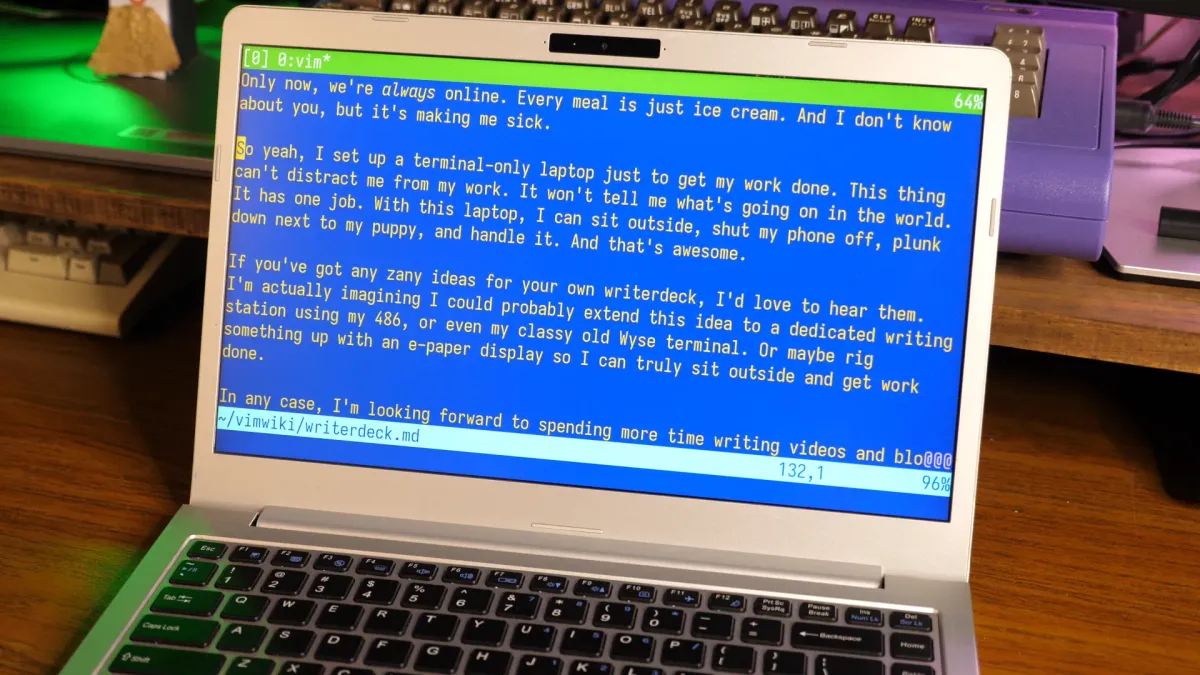
  • If anyone wants to try this without the intricate setup, if you have a linux system, you most probably can just press Ctrl+Alt+F3 and drop into a tty console directly. To return, you have to press Ctrl+Alt+F1 or Ctrl+Alt+F2. You also have multiple consoles, up until F12 probably.

    I used to use this a lot when trying for a less distracting desktop, just like in the original post.

    by iib
  • you missed the fbcon thing
  • even worse! you can start a Emacs client evaluate (menu-bar-mode -1) and (tool-bar-mode -1) and put it on full screen
  • Yes, and if you want it to boot directly into a tty mode run: sudo systemctl set-default multi-user.target

    As an aside: on some of my computers it is Ctrl+Alt+F2 but on others it is Ctrl+Alt+F7 to return to graphical mode.

  • The way people are coping with the current hellscape that is 2026 is interesting to me. Somehow, it always seems to be internalization. Like, if only I can lock in using this distraction free method, if only I start buying more physical media, if only I use a dumb phone and an mp3 player for my music, etc. etc., somehow that will resolve the intractable shitstorm happening right now. And none of that is even going to be a drop in the ocean in terms of making your life better. Only collective action has the potential to do that at this stage.
  • You don't need to solve whats going on around you, just whatever works for you. The fact your chose the word "coping" says more about your mindset than those you're generalizing about.
  • > Only collective action has the potential to do that at this stage.

    Nothing resolves the shit storm, but it is absolutely possible to not be in it. Don't need collective action for that.

  • I agree. Collective action can come in two shapes.

    One is that enough individuals take action, and the things you list are that, an individual taking action. If enough individuals do it then goal accomplished.

    The other is making our politicians force other individuals to do it.

    IMO both are necessary. There's some things where decades have proven that individuals are too "weak" to resist the pull of their urges (and nevermind those urges have trillions of dollars of R&D to make them as strong as possible so it's an unfair battle).