Join the discussion
Write your take first — we'll ask for email only when you're ready to publish.
- Hacker News
- thanks, me too. the one big disadvantage here, if you have to go into an office, is either having to own multiple or transporting your keyboard back and forth every day.
there was a period where i was doing standard + ortho Plank + an ErgoDox-like on three different machines and it's a bit of a mindfuck context switching between them. extremely inefficient.
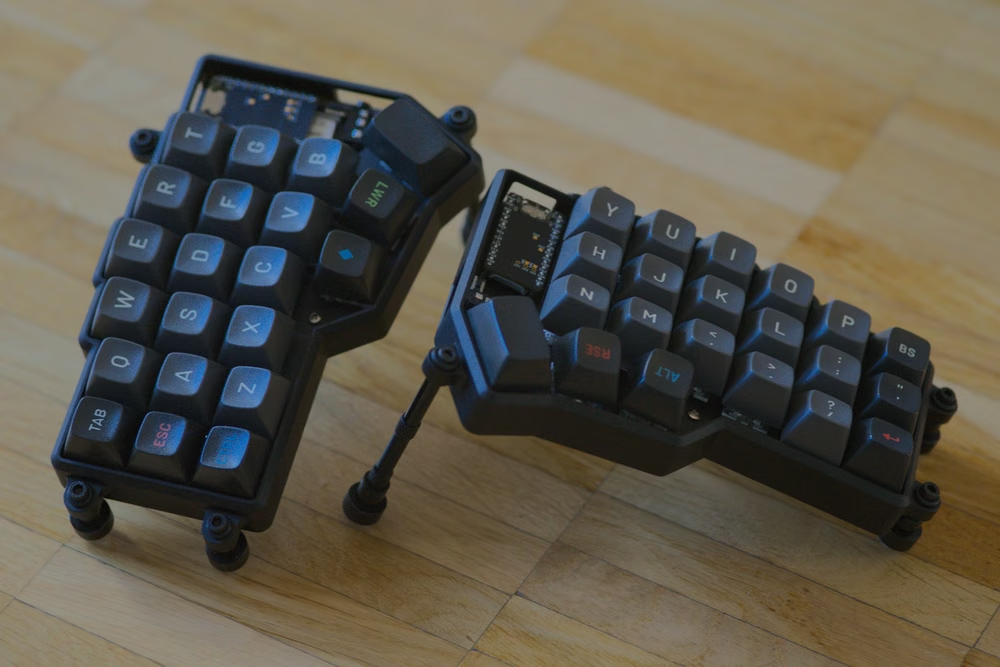
by fyrabanks - I found the below two split keyboards very enticing. I haven't pulled trigger on either though.
- ElimKeys Elytra https://elimkeys.com/products/elytra, I Finally Found It: The Elytra Wireless Split Keyboard (VIAL, Bluetooth, RMK, travel friendly) https://www.youtube.com/watch?v=oIkULzKPmig
- Compose (Estimated delivery Feb 2027) https://read.compose.llc/, https://www.kickstarter.com/projects/ryanlpeterman/compose-s...
by pss314 - Keychron K1 Max is the best tenkeyless ultra-slim keyboard IMO, and just about perfect.
I'd say it's a "small keyboard" in width and in height.
Mechanical, can be fairly quiet (with red switches), arrow keys, F keys, home/page keys. Well-built IME. Not exorbitantly priced.
- I like to be able to sit down at any computer and keyboard and be fully productive right away.by shen
- I haven't gotten down to the 40s, but my daily driver is a 62-key Dactyl Manuform Mini. Admittedly, 3 of those keys are sound driven, so I could see getting down to 58 pretty easily, but after that, I'm not sure what I'd ditch.
The one thing that never really worked in my brain was having multiple layers and a dedicated layer up/down key. I tend to store keys on things where I'd normally hold instead. For instance, my shift keys also hold ( and ) when I tap instead of hold. Same with control and alt. The only layer that I really use would be similar to that raise key, to turn my top row into F keys.
I really wish there was a somewhat affordable way to get good legends on keys that represent this information. I still have to take a beat to remember what | is on my keyboard every time I need it.
I'd highly recommend at least giving a smaller keyboard a go though. The kits that I've seen are fantastic if you want some hands-on tinkering, but also the prebuilt stuff is slick too. I had zero soldering experience going into it, and now it's turned into not just learning about how to use a soldering iron, but also 3D printing, as I wanted to test out a bunch of different keyboard shapes and that was a low-cost way of experimenting.
by chrisparsons - Gonna shill my project, a 34 key solar powered split keyboard https://github.com/cjshearer/cweep.
Each half should end up just a bit wider than a smartphone (114mm x 86mm).
I'm still working on the case generation, which is intended to have a metal backplate for magnetic mounting, but I've gotten distracted developing a generic method to convert kicad geometry primitives to cadquery, so others can benefit from this workflow that uses the PCB geometry as the source of truth for generating an enclosure.
by cjshearer - For people who like small keyboards I recommend you checking out the planck and preonic keyboards from olkb.
I built my first planck by soldering each keyswitch. That's no longer required. My latest preonic I bought fully-assembled and it works great.
by seanhunter - 65% is the sweet spot for me. Reaching across a numpad for a mouse aggravates my RSI. I ditched 100% long ago, then eventually ditched the mouse and moved to a laptop-style trackpad in the middle, which did the trick.
Over the years, I tried pretty much every keyboard with a built in trackpad. Usually the keyboards were so-so to poor. Eventually I got a plate of 6061 aluminum, added a nice wooden wrist support with routed out space for a trackpad, and built my own keyboard tray so I can have my pick of keyboards. Now I use a Ducky with Cherry Ergo Clears and couldn't be happier.
by squeedles