Comments

Hacker News

I have always assumed that WhatsApp just does a lot of things for Meta that aren't immediately obvious to the user.

For example, the app insists on downloading all the "status" pictures/videos that contacts post. I never open that part of the app, so I never see any of those media files. However, WhatsApp traffic stats inform me that it apparently consumed 1.4 GB of traffic to download 16,047 status updates. I have seen almost zero status updates and i have sent zero status updates.

This is, apparently, (16.7 / 1.4 ) × 100 ≈ 8.38 % of all traffic documented by my WhatsApp usage counter. .. and it is just wastefulness, probably to boost someones KPIs or something.

Compare that to Signal, where you can disable that entire feature in the settings.

Another example: Even though I never listen to voice messages, the app insists on downloading all of them. While other media can be configured to not download automatically, downloading all voice messages is mandatory.

Maybe in some group I am part of, WhatsApp is downloading a voice message (that I'll never listen to) right now.

by fwn

Is there a way to always force stop apps?

I got the same problems using Discord. It can take over 40% of a 4100mAh battery each day.

by 3dedb728-3f77

Opening the multitasking screen and swiping up the app force stops it, I guess.

by rpgbr

It doesn't for my devices... Its quite efficient in my experience.

by ZephyrOhm

Unfortunately the article doesn't answer the question. I was hoping for an investigation.

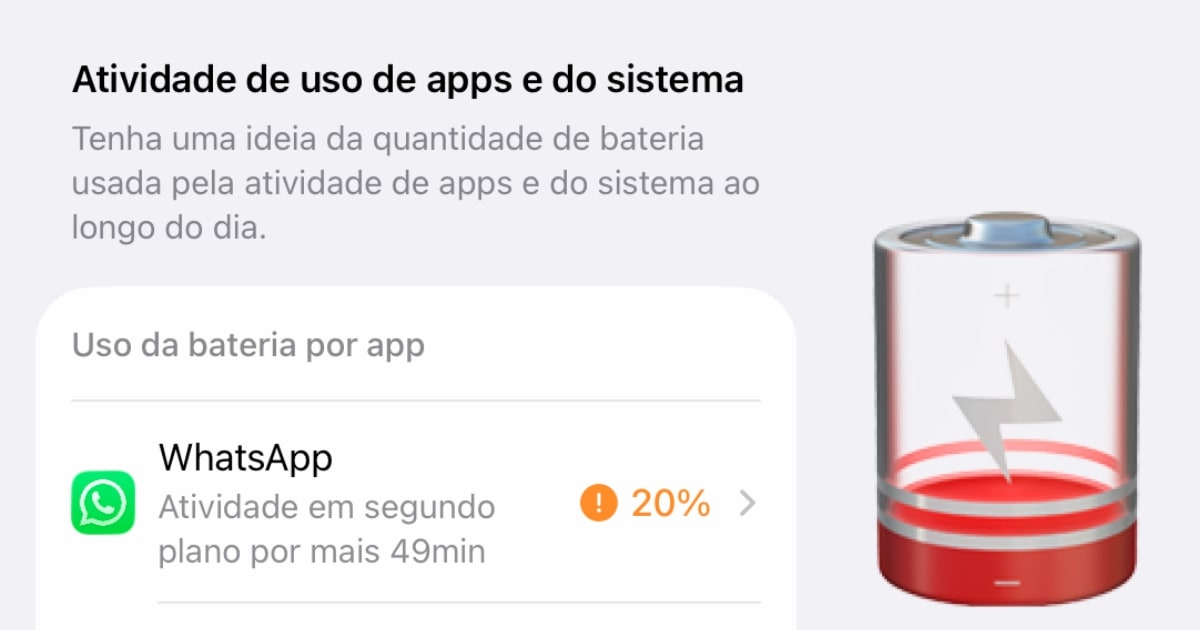
Whatsapp is #4 in battery usage on my phone, and has spent more time in background mode (9 minutes) than active (6 minutes.) Not nearly as bad as the author but I have to admit, I don't understand why it could spend anywhere near that much time doing anything. All it needs to do is be sent a new message.

by vintagedave

I believe I read somewhere that WhatsApp gets awoken by a silent notification with the cyphertext from the Notification Service, which it then needs to decrypt before generating a local notification that actually gets displayed to the user. This was due to e2e, as/so the Notification Service can't have the plain text.

Edit: as a possible explanation for the battery drain?

by sparqlittlestar

> All it needs to do is be sent a new message.

Receiving a message in a timely manner, is far more energy-intensive, for two reasons:

- modern Internet, with nearly universal deployment of NAT, is such that any app (or phone OS, for that matter) can only make outbound connections. That is, to receive, it must keep making outbound requests to the server, constantly asking "is there a message for me?";

- modern android (and iOS too) has some pretty aggressive algorithms/rules to identify apps that can be safely suspended (i.e. denied the right to run in background). One such rule is "no activity within X amount of time". So, ironically, app has to waste CPU cycles to convince OS to keep it running.

There is an OS-level mechanism in both Android and iOS to avoid the second problem above, by the way of OS doing the polling (so-called "push notifications"), but there are their own dragons there, so many apps out out.

by kees99

Join the discussion

Write your take first — we'll ask for email only when you're ready to publish.

  • Hacker News
  • I have always assumed that WhatsApp just does a lot of things for Meta that aren't immediately obvious to the user.

    For example, the app insists on downloading all the "status" pictures/videos that contacts post. I never open that part of the app, so I never see any of those media files. However, WhatsApp traffic stats inform me that it apparently consumed 1.4 GB of traffic to download 16,047 status updates. I have seen almost zero status updates and i have sent zero status updates.

    This is, apparently, (16.7 / 1.4 ) × 100 ≈ 8.38 % of all traffic documented by my WhatsApp usage counter. .. and it is just wastefulness, probably to boost someones KPIs or something.

    Compare that to Signal, where you can disable that entire feature in the settings.

    Another example: Even though I never listen to voice messages, the app insists on downloading all of them. While other media can be configured to not download automatically, downloading all voice messages is mandatory.

    Maybe in some group I am part of, WhatsApp is downloading a voice message (that I'll never listen to) right now.

    by fwn
  • Is there a way to always force stop apps?

    I got the same problems using Discord. It can take over 40% of a 4100mAh battery each day.

    by 3dedb728-3f77
  • Opening the multitasking screen and swiping up the app force stops it, I guess.
    by rpgbr
  • It doesn't for my devices... Its quite efficient in my experience.
    by ZephyrOhm
  • Unfortunately the article doesn't answer the question. I was hoping for an investigation.

    Whatsapp is #4 in battery usage on my phone, and has spent more time in background mode (9 minutes) than active (6 minutes.) Not nearly as bad as the author but I have to admit, I don't understand why it could spend anywhere near that much time doing anything. All it needs to do is be sent a new message.

    by vintagedave
  • I believe I read somewhere that WhatsApp gets awoken by a silent notification with the cyphertext from the Notification Service, which it then needs to decrypt before generating a local notification that actually gets displayed to the user. This was due to e2e, as/so the Notification Service can't have the plain text.

    Edit: as a possible explanation for the battery drain?

    by sparqlittlestar
  • > All it needs to do is be sent a new message.

    Receiving a message in a timely manner, is far more energy-intensive, for two reasons:

    - modern Internet, with nearly universal deployment of NAT, is such that any app (or phone OS, for that matter) can only make outbound connections. That is, to receive, it must keep making outbound requests to the server, constantly asking "is there a message for me?";

    - modern android (and iOS too) has some pretty aggressive algorithms/rules to identify apps that can be safely suspended (i.e. denied the right to run in background). One such rule is "no activity within X amount of time". So, ironically, app has to waste CPU cycles to convince OS to keep it running.

    There is an OS-level mechanism in both Android and iOS to avoid the second problem above, by the way of OS doing the polling (so-called "push notifications"), but there are their own dragons there, so many apps out out.

    by kees99

Related stories