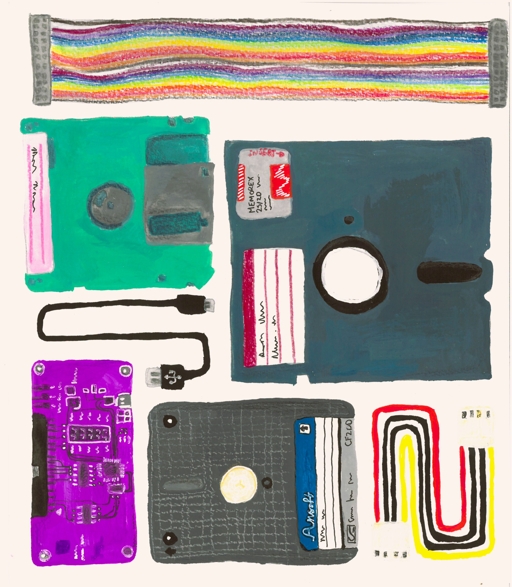
Discussion summary

Discussions focus on the importance of backing up and preserving data from floppy disks, with references to historical usage and methods. Participants mention the rarity of needing old media today and practical preservation tips.

What the discussion says

  • Backing up old floppy disks is generally unnecessary if data is already stored elsewhere.
  • Physical media preservation remains important for long-term digital data retention.
  • Modern tools and methods can help in copying and preserving data from legacy media.
If you really do have a floppy, you should already have made a copy of it.
demute
Preserving digital data often comes down to keeping aging physical media alive.
mune2gu-chan

Join the discussion

Write your take first — we'll ask for email only when you're ready to publish.

  • Hacker News
  • Where'd you get the title from? It's just Copy That Floppy! (maybe +Imaging floppy disks for long-term preservation if it fits)
  • A practical tip that works miracles on 5.25 diskettes: rub their edges against a table top or whatever, making them sit looser in their sleeves. Does miracles to disks that cause read errors - strange as it sounds.

    Also, using an 80 track drive to read a 40 track disk works most of the time. But if you get any read errors, trying with a 40 track drive solves a lot of them!

    Lastly, have multiple drives. A read error on one drive might not be a problem on another drive.

    I recovered more than a thousand floppies some years ago. And learned that read errors in most cases are not irrecoverable. Try another drive, rub the diskette's edges - the two things that fixed most problems.

  • Oh memories of stacking those, and going to my friend's place to copy the latest games :) Remember how we were drilling holes to doubled the disk's storage capacity (from 720 to 1440) https://www.vogons.org/viewtopic.php?t=47247

    Before the floppy disks we were using cassettes... with our TO7 (circa 1983). It was slow by our current measure, but as kids we had time, I guess. The TO7 had even a lightpen to point at the CRC screen. https://en.wikipedia.org/wiki/Thomson_TO7

    My parents attic has still some of my old floppy disks, and even maybe some cassettes.

    by llsf
  • If you ever want to peek at physical magnetic transitions and how that translates into bits/bytes/sectors get any Sigrok supported Logic Analyser and the FM/MFM/RLL decoder https://github.com/raszpl/sigrok-disk#screenshots
    by rasz
  • It's easy to forget that preserving digital data often comes down to keeping aging physical media alive. Nice practical guide.
  • Generally it's easier to just copy the data to each new media as you adopt it. In the past this was pretty easy to do as the hard drive held way more data than the floppy disks of old. The next hard drive was an order of magnitude larger than the old one, and so on. Unfortunately this sputtered out during the SSD transition and became even more ephemeral as people started putting data in the cloud where it will eventually be wiped when the accounts stop being paid or lost when the company goes under.
  • A few years back I underwent an effort to image a bunch of old 3.5” floppies I had from when I was a kid. I used KryoFlux, and had a close to 100% success rate (eventually)

    Some things I learned:

    1. Different drives could read different sectors. I am not exactly sure why, but some disks would show bad sectors when read from one drive, but would have a different set of bad sectors when read from a different one. I had 5-6 different drives I was using (I bought a bunch of used drives, they are pulled from old hardware and resold). I think it likely has something to do with the heads being slightly misaligned or something, so they would struggle with different sectors.

    What I would do is scan a disk with one drive, and if I found any bad sectors, I would re-scan with a different drive. I would repeat this process until I had at least one good scan of each sector. I would then pull the missing sectors in one scan from a scan that succeeded on that sector, and would patch together an entire image.

    2. I didn’t realize how varied the formats are for disks I had. I remember single vs double sided, but there were quite a few other variations I found in my collection.

    3. If you hang out with computer nerds of a certain age, you are going to be surprised by how many of them still have a collection of old floppies that they can’t access anymore. I had so many requests to help archive many different collections!

  • I can't afford an the recommended Applesauce for Apple II disk preservation so I'm hoping that the Adafruit work which added Apple II drive support will work for me.

    https://github.com/adafruit/Adafruit_Floppy

  • I love watching old Computer Chronicals episodes and seeing that warning from the Software Publishers Association.
  • The rule for preserving floppies is to not use Windows. Windows is known for automatically writing to disks, so you're not preserving the original anymore, you're preserving the changes that Windows made to the disk.
  • Dont most disks have write protection? Would that not be sufficient?
  • If you're using Kryoflux or a similar controller solution (and they mention several) it should bypass this problem since then the drive doesn't show up as a normal floppy drive at all. So in this case it shouldn't matter.
    by jchw
  • Floppy disks were ubiquitous when I was in college. When I got into Linux, I did an experiment raw writing zeros to floppies with dd to see what percentage of them had I/O errors. I tested with a stack of about 50 of them that were left in our computer lab over the years (different brands). The failure rate was staggering. Something like 30-40% of them had bad sectors. After that, I realized that I could never rely on them as a storage medium for anything important without regular backups.
  • . . . simultaneously over-writing the last remaining copy of the original Linux!
  • I wonder if anyone made an error correcting driver or file format for unreliable data storage like this. Did anyone ever implement RAId (redundant array of independent diskettes)? Edit: apparently RAR had an option to add internal error correction data to the archive, and you can also use PAR2 files for another layer (I think that's able to reconstruct the archive if one file is totally unreadable)
  • Floppy reliability dropped of a cliff in the mid-90s. It came to a point where it wasn't unusual to see I/O errors even on completely new floppies.

    But with older drives and older media, produced to a higher standard, they were pretty reliable. (After all, IBM invented them to store CPU microcode, they had to be.)

    by pdw
  • As a kid back then, floppies were expensive if you were using your pocket money or hard earned side hustle stash. Floppies were used, abused and reused until that dreadful bad sector. Even after the bad sector if you knew its location. But you knew the floppy time was up.

    Kids today will newer know the feeling of unwrapping a fresh package of 10 floppies. The sound, the smell, the texture, the stickers, the formatting, the wast free space, ... as much as retail therapy is a thing, I think that was floppy therapy.

  • Perhaps it's similar to the feeling of unwrapping a pack of CD-Rs
  • The stickers that wrapped around the edge of the floppy and would never stay stuck...
  • > the feeling of unwrapping a fresh package of 10 floppies

    For us floppies just appeared in the home! I think my dad took them from the office so he could work from home.

  • The jump from 1.44MB on a 3.5 floppy to a 650MB CD was astonishing.
  • >Kids today will newer know the feeling of unwrapping a fresh package of 10 floppies.

    Even as an elder millennial most of the floppies I used back then were formatted aol install disks. I don't recall ever buying floppies, but maybe my father did

  • There was a time when, for me at least, the 3.5 inch floppy seemed like the pinnacle of portable storage technology, especially as compared to the cassettes and 5.25 inch floppies I’d been used to.

    I made regular use of 3.5 inch disks as portable storage up until, if you can believe it, 2000 when I mostly switched to Zip disks and, occasionally, CDRs. I never found CDRWs that useful.

    Writable CD storage was always a bit of a faff to use though, whereas Zip disks behave exactly like floppies, only a lot bigger.

    Fast forward to 2002 when I first got home broadband, and it just became easier to simply transfer files directly over the internet rather than toting disks around.

    Not long after that cheap USB sticks started to get usefully large but, really, I’ve barely used them in 20-odd years.

    It’s funny how, once floppies became too small for most practical uses - even though I’d used them exclusively for 10 years - I didn’t spend much time with anything else before jumping to just relying on the network for file sharing, syncing, and transfers.

    Very occasionally I do still use them today: I’ve got an old Korg Trinity synth that uses 3.5 inch floppies for storage, and I’ve got a minty fresh box of them still hanging around in my office. I’ve also got an Amiga 1200 that uses DD as opposed to HD floppies.

  • I do a lot of floppy imaging and some of my work on it has previously be discussed here[1]. I do not understand where they got the idea of "there are a number of disks that the Greaseweazle struggles to capture, namely the Apple formatted disks. If you have these disks in your collection, you may need to use an Applesauce controller."

    The Applesauce is a macOS exclusive tool that has a contingent of dedicated users. While I have not imaged a wide sample set of Apple II and 800k Mac disks specifically, from my current experience the Greaseweazle is plenty capable of reading them. I would speculate the author was trying to use an included diskdef(a flux to binary decoding definition) for an incompatible disk. The Zone Bit Recording[2] Apple drives use is irrelevant when you increase the sample rate of the controller to accomplish the same thing. Similarly C64 disk drives are also ZBR but change the clock rate instead of media speed. So do not think that this means you need multiple drives and controllers when getting into floppy imaging, you can use standard PC drives with a Greaseweazle to read and write Apple II and Mac disks as well as almost anything else.

    I have opened an issue on their github page for this site to seek clarification on this.

    [1] https://news.ycombinator.com/item?id=39495973 [2] https://en.wikipedia.org/wiki/Zone_bit_recording

  • The apple 2 5.25 drive does quarter track steps. I think this may be the issue.
  • There's an issue on the FluxEngine git repo that may be related to this: https://github.com/davidgiven/fluxengine/issues/75

    At the end of the thread, David Given reports that some PC floppy drives drop pulses when trying to read 800k Mac disks: https://github.com/davidgiven/fluxengine/issues/75#issuecomm...

    So the Cambridge page might be saying "use an Applesauce controller" as a sort of shorthand for "use a drive from an actual Apple computer".