
Join the discussion
Write your take first — we'll ask for email only when you're ready to publish.
- Hacker News
- This is very cool, and at the same time, this is how they plan to lock people in. The moat isn't really in the models, it's in their users and how much they are invested in their ecosystem.
Once you have started working seriously with these tools, it stops being so easy to switch. What are the open-source alternatives to this? How usable are they for non-technical users?
Another comment I have about this is that unfortunately, there is always an LLM in the loop for each prompt. I feel LLMs should automate themselves away, meaning that for repetitive tasks, user prompts should go directly to deterministic, previously built scripts. This would be both a better user experience (more predictable), and a lot cheaper to operate.
by joelthelion - > What are the open-source alternatives to this?
OpenClaw, Hermes, and a dozen other Claw-like tools.
They aren't trivial for non-technical users to setup, hence the demand for systems like Claude Cowork and ChatGPT Work and Grok Bot.
by simonw - Seems to me this is just a way for OpenAI to try and build a moat by putting everyone into their cloud so they can build the tooling internally without exposing it to anyone, causing greater vendor lock-in. Not to mention giving them free reign over all of your data. For that reason, I'll never touch it.by nullbio
- The browser mode is great, except its fully banned by Cloudflare. I tried cancelling a phone subscription but Cloudflare stopped it.by whazor
- The elephant in the room is that ChatGPT Work/Codex use agentic quota, whereas Chat doesn’t (and is effectively unlimited on Plus and Pro plans).
On this principle I’ve built Codexify[1], a connector that provides a Codex environment to ChatGPT Chat. This enables unlimited 5.6 Sol high/xhigh usage on the Plus and Pro plans as well as access to the 5.6 Sol Pro model (which is not available in official Codex).
by noname120 - Good strategy is tell Chat to make plans and review work, lookup all information to make decisions ahead of time; then tell Work to implement it.by ModernMech
- It's not clear to me why isn't the 5.6 Sol Pro available on Codex. Maybe due to the high computational demands and slow speed. But as an anecdote, once when the Sol Ultra models were stumped on one problem, I gave the full extended documentation and all the details to the Sol Pro model to review and provide a suggestion. It eventually did, but the Ultra pushed back against the proposals, and they also seemed sketchy to me as well. We eventually tried them and they didn't work.
Maybe the Sol Pro is not that great anymore, considering the token vs output balance.
by 5555watch - It’s been part of the strategy from both OpenAI and Anthropic to split users into “devs” and “knowledge workers”. Hence Codex and Work (or Claude Code vs Cowork), and Chat is stuck in between. Codex can do everything Work can do and most non devs I know use Codex - from sales ppl doing weekly prioritisation of pipelines and customised email reach outs, to project managers using it as a living LLMWiki of all the projects and teams. In fact the biggest shift in business I’ve seen is the embrace of coding agents as defacto AI tool across knowledge workers.by armcat
- What's the point of this split?
- Non devs running something might not be aware the programs runs locally and touches the actual machine. Devs know to be careful but regular users won’t even have knowledge it’s touching their machine, filesystem and might even touch the credentials (thanks to reasoning).
The right fix is to set real boundaries and limit agents access. We should never trust it won’t touch forbidden places.
Basically I find this naming work local vs work cloud confusing, users won’t know if it’s touching their files in the sandboxed cloud or a local one
by coder-pm - That's not true of ChatGPT Work (Cloud), accessed through the mobile apps or the ChatGPT website.
It IS true of ChatGPT Work (Local), accessed via the ChatGPT desktop app.
I agree with you: Expecting non-devs to understand that distinction - especially when these features are visually indistinguishable from each other - is entirely unreasonable!
by simonw - Codex in ChatGPT Desktop + 5.6Sol is my daily driver for non-coding things, and it's great. FWIW, I've not explored what differentiates Codex and Work modes- Simon notes that Work 'feels more like regular Codex re-skinned'. OpenAI seems to say that they're 'optimized' for SWDev and general knowledge work respectively, but reading between the lines- I suspect that yes, this boils down to a reskin.
I have been of the opinion for the last 6 months that this product category* is going to be something that sticks. I really think that OpenAI and Anthropic have totally dropped the ball on getting their respective desktop apps in front of the enterprise business user cleanly. Both jumped early, and tried to retroactively fix their jump by combining MVP (Work, Cowork) into their existing app.
By now, my suspicion is that the business user has baked into their mind 'that claude thing is just the chat app I copy-paste stuff out of, it was kinda annoying'. OAI+Ant really need to reset, and shamelessly relaunch ChatGPT/Claude Desktop as a new product- and market the hell out of it as some shiny new solution to everything.
I'll also say that MCP was (considering stateless now) a massive mistake. Not that MCP doesn't have it's niche, but it completely dominated the airwaves of AI for enterprise. People found it confusing, and it wasn't adopted by biglabs in a low-friction way. I recall distinctly late last year, neither had a client that would support local MCP servers- even though the buzz was peaking. And now, Anthropic still doesn't have great support- their OAuth flow is straight up broken, and they even collide with MCP using their own terminology (connectors)- which overlaps in a very weird way with built-in and 3rd party connectors. It's all very weird, and very anti-enterprise. I don't know where OAI is positioned on MCP support, because my userbase is 99.5% Anthropic rideordie, and I don't want to live with a client I can't manage**.
* That being desktop app for harness with shell tool + scheduling + agent-per-project/directory. At some point within that 6 months I've also lumped in browser use, and to a lesser extent, computer use, as must-have features.
** Referring to the MCP client ChatGPT Desktop uses. It's probably fine, but if I hit API direct, I can actually control how the harness facilitates the calls. Look how many GH Issues there are for MCP client things on OAI's end.
by agentdev001 - > OpenAI and Anthropic have totally dropped the ball on getting their respective desktop apps in front of the enterprise business user cleanly
Data, contracts, procurement are the blockers for enterprise, not features.
Big companies will use whatever AI tools Google or Microsoft because they are already on the Microsoft/Google suite.
No amount of shiny new tool can compensate here, by the time somebody to buys it, months pass and those two companies will have it anyway.
by epolanski - I agree on the shotgun marriage of the various modes. It was super disconcerting, as a Claude desktop user, to get a sudden redesign and push to something I will never use on my personal laptop.
Also Big +1 that they need to do a clean launch, marketing push, etc. Even if it is just a reskin, having dedicated branding, a strong privacy promise, random vague-posted fluff around "enterprise-ready", and a "Contact Us" pricing that gets you SSO for $150/u/mo. There is too much baggage with the chat app.
I feel the same using Claude Code on mobile. Or Claude Design, which has to go through mobile safari. Give me an app whose interface is optimized for product/dev. Yes, I should be able to do anything on each, but I have specific needs in different contexts. That's what "products" are.
by tyre - I recently figured out that I could use ChatGPT Work on my Pixel Phone to build native Android apps. It builds the app and you can then directly download/install the APK. So now I just build small utility apps on-the-go whenever I need them :)by xatxat
- What kinds of apps are you building?
Personally I can't remember the last time I needed an app and there weren't already several options to choose from.
- Why not use Codex for that? What is the differnce between work and codex for a very specific task that involves terminals?by trash_cat
- Can it debug the apps? That would the app singularity - user speaking at their phone until phone complies and produces desired app for the current moment.by DenisM
- Nice! I regularly do this with Claude to create little web apps on my phone, so that's great idea to create little Android apps instead!
Amusingly, I started walking recently at a local track. One day while I was walking, I thought, "I should create a little web app for a counter to keep track of my laps." So I asked Claude Code and it whipped up a nice little mobile app with a big "+1" button, a reset, the whole deal, all within less than a lap and a half. Great! A lap later I think, "I should have it keep track of the time it takes me to walk each lap."
As I'm typing out the description, I realize, "You dumbass, you're describing the built-in chronograph feature of the Clock app!" So I just switched to that.
- Can you write an article about this please? I would love to read and understand this flow and some of the apps you've built with it.by ijidak
- Missing from here is the marketing position. Claude _very_ rapidly gained traction in the business/enterprise space earlier this year with Claude Cowork leading that drive. So successful it was, it lead to Microsoft licensing the Claude Cowork IP and white labelling it as Copilot Cowork (has anything like that ever happened before?!). ChatGPT Work was, imo, largely driven by a panic at OpenAI that they were haemorrhaging market intrigue and LinkedIn zeitgeist and headspace to Anthropic. ChatGPT had been the de facto, almost the Generic Trademark in business, and they got comfortable. Claude Cowork was eating their lunch. The way Anthropic targeted finance teams, legal teams, sales teams, with their positioning was absolute product marketing genius.
ChatGPT Work is trying to reclaim some of that magic that Claude Cowork affords its users that is so hard to explain succinctly.
by simonjgreen - > LinkedIn zeitgeist
Today I learned that you only need two words to open up a new circle of hell.
by joquarky - You highly underestimate how both Claude and OpenAI have peanuts of the enterprise marketshare compared to Copilot and Gemini.
I see it first had across all my non-tech friends: their companies already used Teams/Sharepoint or Google Suite. Those added AI capabilities with some minimal vetting/setting by the org. Data retention and contracts, the hard parts, were already handled because those are new features/extensions of the same products they had.
Comments like yours seem to be screaming "HN bubble". The real world doesn't care and will wait for Microsoft/Google to offer the same stuff, hell, even HN apparently barely knew what Claude and OpenAI work offerings did till today.
by epolanski - Yeah ... the simplest answer to what ChatGPT Work is seems to be a panic-clone of Claude Cowork as a hail mary to try and catch up to Anthropic in enterprise.
Cowork is like crack cocaine to nearly every exec I've seen use it from the moment they put in an email search / summary query.
by zmmmmm - It's funny coz it seemed like they also cloned the confusion.
I don't really understand what Claude Cowork is. Sometimes I use it instead of plain Claude Chat for tasks that "feel big"? And when I've done that I've felt this was the right choice. But until I actually had that session up and running I would not be able to articulate what Cowork is or enumerate any specifics of how I expected it to behave. I just thought "maybe this is a Cowork task?"
(I have only used the cloud one. My understanding is the the local app is essentially Claude Code but for non-coders, which matches the description of the OpenAI equivalent).
Even as someone who's now used it a few times I wouldn't have been able to articulate as many details as Simon W does in this article, it's a weirdly shaped product structure.
by bjackman - > My lethal trifecta model warns about the risks inherent in any agent system that combines access to private data with exposure to untrusted content and a way to communicate stolen information back to an attacker.
> ChatGPT Work combines all three!
The ChatGPT Work model would actually feel safer to me if they created a privacy boundary between the container-managing agent (browser operator/VM manager/code runner/etc) and the chatbot agent. Instead of me not typing privacy-sensitive things to the chatbot to avoid having them in my history, the chatbot would keep my history private from the container agent except on a need-to-know basis. That would remove the "access to private data" from the container's trifecta.
Not perfectly safe of course, just safer. Particularly if I could review the logs between the two agents.
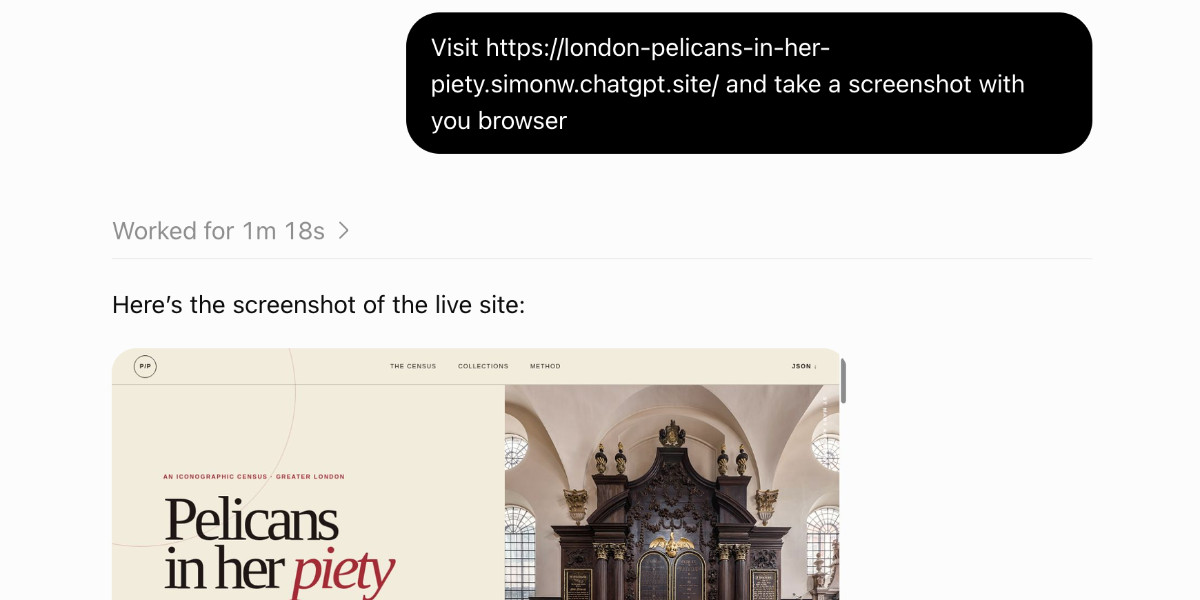
- I just updated the article to link to this site: https://codex-tool-reference.simonw.chatgpt.site/
Which I created using this prompt in a fresh Work session:
> Build a site that lists every one of your tools - nearly grouped into categories - and for each one explain what it does. Try to exactly duplicate arguments and tool descriptions where possible. Design aesthetic should be technical docs, minimal flare
UPDATE: I had it add all of the available skills too. This solved a mystery: I didn't see a tool for controlling the headless browser. It turns out that's handled by a skill that tells is how to run the browser via its Node.js REPL tool: https://codex-tool-reference.simonw.chatgpt.site/skills/cont...
by simonw - Honest question: why would I ever visit that site? It's just an insane amount of text. Not written or curated by you. Any need for me for this data would be fulfilled by just asking the agent myself, and with pointed questions it could float better what I need than this vomit of data?by matsemann
- Wow. For what it's worth, I ran that prompt in Codex mode in ChatGPT Desktop (sans-site artifact), and I ended up with the below. This is on a default setup, win10.
- *9 top-level orchestration tools*: the `functions.` and `collaboration.` calls available directly to the model. - *83 operations inside `functions.exec`*: these appear on its global `tools` object. - *92 callable tools/operations total* under that counting method. - *10 execution helpers* inside `functions.exec` documented separately at the end. They are helper functions, not independent tool calls.
by agentdev001 - Chat GPT work is running a full bash environment with python.
You can get it to run scripts direct from the prompt.
Try...
Run the script below in your sandbox
message="I'm running in a bash sandbox"
printf '< %s >\n' "$message" printf ' \ ^__^\n' printf ' \ (oo)\_______\n' printf ' (__)\ )\/\\\n' printf ' ||----w |\n\n'
printf 'User: '; whoami printf 'Host: '; hostname printf 'System: '; uname printf 'Folder: '; pwd printf '\nWorkspace:\n' tree
I have some more examples here -> https://bionic-gpt.com/architect-course/ai-computer/sandboxe...
by ianpurton